Friday, September 2, 2016

Welcome back - Gmail attacks

Welcome back to the 2016-2017 School year!


By Neurolysis
[CC SA 1.0 (http://creativecommons.org/licenses/sa/1.0/)]
via Wikimedia Commons
We've experienced a disruption in gmail with some "bad" emails circulating with links to gather your username and password. This happens more and more frequently. Google is very concerned about security and your identity. The tech dept. at ESU 4 is as well.

With that, Google has implemented some new features on your account. I encourage you to click the link below and read the security warnings that google has implemented. You do not need to know the technical terms (SPF, DKIM) as we have implemented those on our esu4.net domain. 

The big part is the notification of a question mark (?) instead of the user's profile as well as a possible warning message.

Please take these warnings seriously if you notice them as it will help you with identifying suspicious emails.
Here is the article for your review:

Thursday, May 5, 2016

Google Apps Update

Google recently announced a Question/Answer feature that will be available when presenting in Google Slides. You can see the announcement by following this link.

You can also watch the embedded video below to see this new feature in action. I am very excited about having the ability to interact with your audience as you present to them. I think this can definitely change how teachers interact with their students.


And...finally, if you are not aware, there are several summer opportunities for you to get some additional training. The Google Summit is now open and will be held in Lincoln on July 14-15, 2016. For more information, check out the Google Summit website.

Enjoy,
Gregg


Tuesday, March 22, 2016

Apple Announcements Tech Tip

Apple made a few announcements yesterday that may have an impact on the devices you use on a daily basis. Those are listed below as well as some other announcements on devices. Feel free to follow the links for more information.
Feel free to apply the update to your device when you feel comfortable. They are pretty big updates and it will take some time to download and install.

Other news from Apple
There were other announcements as well, but just wanted to let you know about the updates. Again, there is no reason to update unless you feel compelled to do so. 

Enjoy,
Gregg

Friday, March 4, 2016

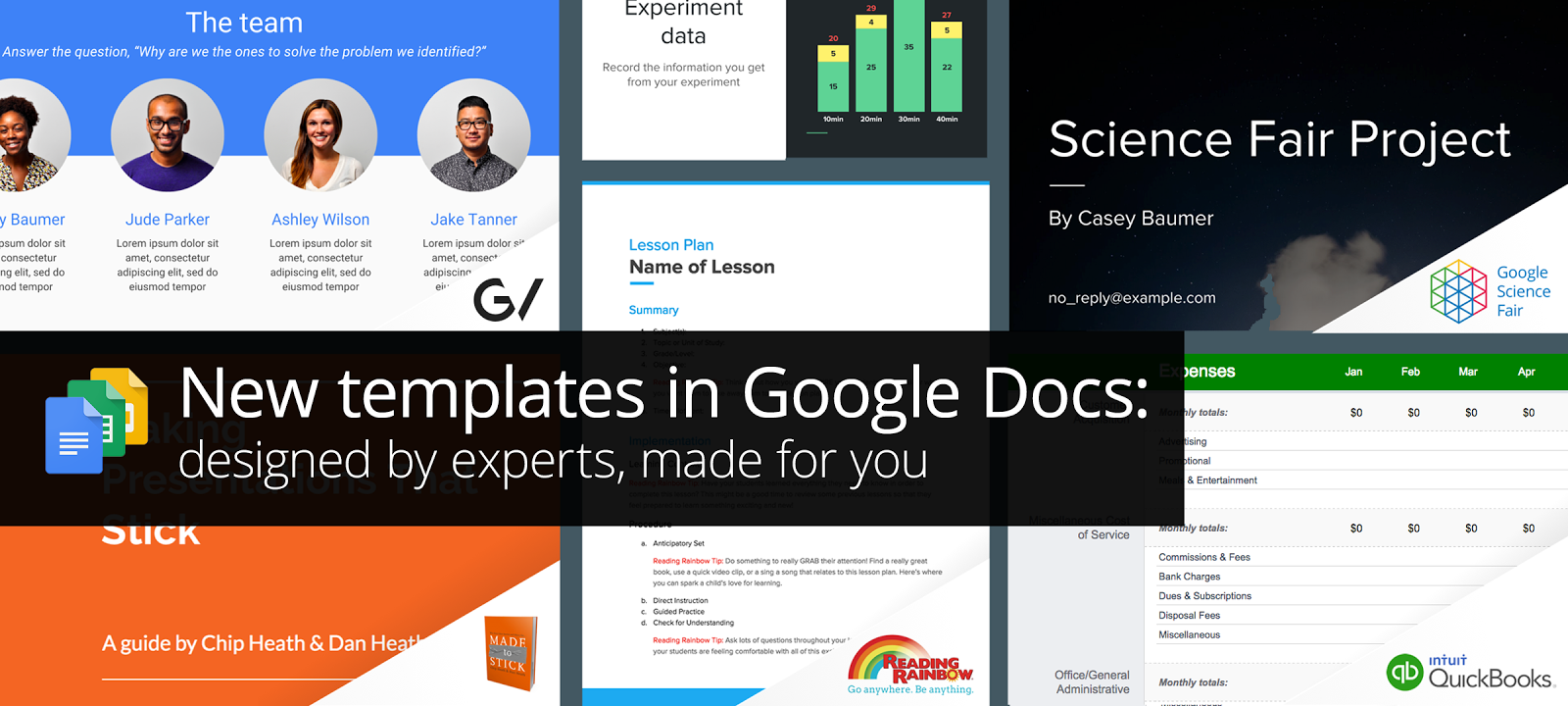
More templates come to Google Docs, Sheets, Slides

Google announced new and improved templates to its online suite of applications. You can now launch Google Docs, Sheets, or Slides and you will see their templates listed. You can click on the "More" button in the upper-right hand corner and you will see all the templates offered. If you like to use templates and you like to use Google Apps, you might give these a try.


Here is the Google Blog article on this release:
http://googleappsupdates.blogspot.com/2016/03/new-templates-in-google-docs-designed.html

Please note: You have to navigate to each google app separately. You cannot access the templates right now through google drive (as far as I know.) If you do, you can select "New", then "Document." From there, you can select "File" - "New" - "From template"

Enjoy,
Gregg


Monday, January 11, 2016

Over 30 Youtube channels for teachers

I came across this article today and just wanted to share. In chart form, you can preview a list of over 30 Youtube channels for teachers. If you are reading this, please share this link with your fellow educators.

http://www.educatorstechnology.com/2016/01/over-30-great-youtube-channels-for-teachers.html

Thanks, Gregg

Wednesday, December 16, 2015

Google Templates comes to mobile devices

Google Docs templates comes to mobile devices. Not only can you access templates on Google Docs, this update comes to Sheets and Slides as well. What this means is that you can create a rich document, sheet, or slide on your computer or laptop and then easily open and edit that same document on your mobile device. Or, if you prefer, you can start a template on your mobile device and then open and edit it on your computer or laptop.

Please note that you may need to update the iOS apps or Android apps before you notice the new feature.

Here are the release notes from Google:
http://googleappsupdates.blogspot.com/2015/12/use-templates-to-create-files-in-google.html

Here is a short slide show introducing you to this new feature:


Enjoy,
Gregg

Tuesday, December 8, 2015

Google Reminders

Google just released a pretty cool update to Google Calendar. You can now add reminders directly from your calendar. The reminders then show up on the date you select right inside the calendar app.

So, if you're like me, and like to keep track of things needed to get done via reminders, then you'll find this pretty handy.

Give it a try...check out the video below to see how it works.


Happy Goog'ling,
Gregg

Tuesday, December 1, 2015

Google Keep

I ran across Google Keep today and thought I would share. Google Keep is a note taking application that Google has developed. It is available for iOS, Android, and can be used as a web app. It syncs with your current Google account and allows you to keep notes, check lists, voice recordings, and other things. For more information on Google Keep, check out the video below or view the official google blog post.


Tuesday, September 8, 2015

Tech Tip for Sept. 8, 2015 - Learn360


For all educators in the ESU 4 area, a quick reminder about Learn360. Learn360 is a resource to all ESU 4 edcucators within the service unit area. Learn360 is rolling out a major update this fall. One that many of you might appreciate is the mobile compatible feature. Please view that update below by clicking on the pdf link below. 

They've also rolled out thousands of new titles in the last year. If you have not looked lately at your account, please take a peek. 

Here is a sneak peek pdf - please scroll to page 2

Here is a video sneak peek of the rollout this fall:

Login with your account:

Thank you,
Gregg

Thursday, September 3, 2015

Tech Tip for August 2015 - Google Voice Typing

Google announced, yesterday, a new feature for Google Docs. Actually, they announced many new features. Here is one that I think can be useful for many students - Google Voice Typing. To enable the voice typing feature, you would open a new document, then select the "Tools" menu. From there, you will have an option to use the "Voice Typing" feature. Once that is enabled, you will press the microphone that pops up and you can talk into your computer and it will translate your speech to text for you. Give it a try today and read more from the official Google blog about this and other new features.


Enjoy,
Gregg


Wednesday, May 13, 2015

Weekly Tech Tip - Update to Google Docs and Slides for mobile devices

A nice little feature that was released today for Google Docs and Slides for mobile apps. 

You can now insert images into Google Docs and Slides on mobile devices. It is pretty simple to do. Below is a graphic from Google that shows how this works

To read more about this feature, please click here.


Enjoy,
Gregg


Wednesday, April 29, 2015

Weekly Tech Tip

We have been working more and more with the Google platform, and we think it offers a lot of positives for the ESU and for the schools that we serve. The collaboration feature is simply amazing. To be able to share a document, slide show, form, spreadsheet with others via a link or email address is phenomenal.

Some things to try:
  • Google allows handwriting tools in a document. You would use the "Add-on" feature and find the "gMath" add-on. This allows you to create handwritten notes on a google document. And, for math nerds like me, I can create formulas in a google document or form. (see screen shot below) For more information on this tool, check out the detailed instructions here.

  • Google Slides - just added new transitions. So, again, if working on a presentation and presenting with someone else, how easy to share that presentation with your co-presenters without having to send a separate attachment each time.
  • Google Forms - we've been using this more and more. Use forms to catch data you want and need to end the year. Then, keep that data year after year for evaluation.
Thank you and enjoy the end of the year,
Gregg


Friday, March 13, 2015

Weekly Tech Tip - Google Calendar Invite

This weekly tech tip comes from Google Calendar. I hope you are all finding ways to use google calendar, both on a personal level as well as a professional level. One feature of the calendar that I really like to use are "calendar invite". A calendar invite lets you invite someone to a specific event on your calendar. When you send the invitation, you get a response on whether or not that person can attend. It is a great way to plan for meetings. In addition, you can attach a google document to a calendar invite such as an agenda.

Here is a video of how it works:

Here are specific directions:

Happy Friday,
Gregg

Tuesday, February 24, 2015

Weekly Tech Tip - Feb. 24, 2015

When posting things online or to a webpage, or even an image on a letter, we need to make sure that we are trying our best to use copyright free images. By doing so, we keep ourselves free from any misuse of copyright policies.

 I spent a morning last semester listening to this very topic of copyright from the American Library Association. The speaker was very informative on copyright issues and also gave some thought as to what constitutes fair use. I want to specifically focus on finding copyright free images today.

Go to http://images.google.com and type in something that you want to find an image for, such as 'horses.' When the image bar loads, you will see a button for "Search tools" on the right. From there you can choose "Labeled for noncommercial use" under "Usage Rights." See the screen shot below for your reference.


I hope this helps,
Have a great week,
Gregg

Thursday, January 29, 2015

Happy Valentines Day - Tech Tip


It has been awhile since I posted a technology tip. However, you are not forgotten as Valentine's day is just around the corner. For this post, I turned to my tried and true webpage from CybraryMan. Here is a list of resources for Valentine's day. There are quite a few links on this page, so take some time, and find some resources to fit your classroom when you study Valentine's day. Or, maybe you just want to find an activity to use with a student you work with or maybe during a workshop. From the history of Valentines day to math problems to art and crafts, there is something for every grade level and curriculum on this page.

Tuesday, December 2, 2014

Weekly Tech Tip - backup


Happy Holidays! This tech tip comes from a conversation that I had with another colleague the other day and it is one which happens at least once a year. The question: "Does the organization back up our computers off site?" Simply stated, do we have a way of backing up every computer off the main site where you work. For example, if you work in Auburn, do we back up your computer to a server at NCECBVI and vice versa? The answer is no. We do, however, have backs up in place for most of you, if not all of you. Those external drives on your desk serve as a back up. In case of a tragic event, where your computer and your external drive is gone, then nothing would be available for you to retrieve.

So, how can this be resolved? There is no simple way to make sure that all your data is valid even if you do back up. We cannot, with 100%, guarantee that your backups will work should you lose your hard drive on your computer. However, I would suggest that you back up your important documents to Google Drive. We have been using Google for a few years and Google for Education just announced that all accounts get unlimited storage. You can check out your google drive settings to see your results (your result will be unlimited storage if signed into your domain account). So, my suggestion would be to create a folder on Google drive and call it 'Important'. Then, simply make copies of your important documents and drag them to google drive. If you download the google drive app, and sync your documents to your hard-drive, it will be even easier.


My suggestion always has and always will be to make sure your important files are safe somewhere. We rely on software to perform scheduled backups and that does not always work.

Until next time,
Gregg

Tuesday, November 25, 2014

Flash Cards and Jeopardy using a Google Spreadsheet

In reading through some of my online articles, and learning from my PLN on twitter, I came a cross this website called Flippity.net. It is pretty simple, yet elegant. As a classroom teacher, you can create flashcards for your students using a google spreadsheet. Or, better yet, your students can create flashcards for themselves.


Just recently Flippity announced that is now offers a Quiz show (very much like a Jeopardy board). You can have control over the topics and the questions. You just simply download the Google Spreadsheet and your off and running in a few simple steps. 

So, as you work with students and teachers, give Flippity a try. I know I will.

Happy Holidays,
Enjoy,
Gregg

Monday, November 10, 2014

Word, Excel, and PowerPoint on an iPad

You can now download and use Word, Excel, PowerPoint on an iPad. Microsoft just announced that
you can get a free subscription to it's office based suite - Office 365.

To do this, go the app store on your iPad and search for Word. Find the app that is built by Microsoft office. Do the same for Excel and Powerpoint.

Once downloaded start the app, and sign up for a free Office account. This will allow you to create and edit documents. If you do not create an account, you will only be able to view documents.

For more information, please check out this article.

Enjoy,
Gregg

Monday, October 27, 2014

Weekly Tech Tip - Countdown Timers

I'm always trying to find quick and easy tech tips that I think might be useful to those working with students as well as those of us who work with teachers. One of the items that I use for some of my workshops are countdown timers. When I give folks five or ten minutes to work on a website or talk about a particular strategy, I want to give them the full five or ten minutes. Countdown timers come in handy for that very purpose.


If you go to Google and you type "timer 1 minute" where the 1 can fluctuate to any number, you will automatically get a countdown timer. Give it a try!


If you want some timers that have a little more flare, those that include graphical representations, then you might search youtube for a specific timer. There, you can find tons of timers to suite your needs.

Enjoy,
Gregg


Thursday, October 16, 2014

Weekly Tech Tip - "Ok, Google"

This week's tech tip comes from the Official Google Blog. I was reading an entry about teen's use of voice search. Google has found that teens use the voice search more than adults. Why? If you read entry below, the entry shows statistics and reasons why teens use this option.

After I read this, I thought about how I relate to my own kids. We use google a lot to find things for us - directions in the car, the hours of a particular store, to text each other, etc. As we talk with our kids, it also brings home the point of searching with a purpose. Use the voice commands necessary and efficiently to get your desired search outcome.

Here is the entry should you choose to read it:
http://googleblog.blogspot.com/2014/10/omg-mobile-voice-survey-reveals-teens.html

If you are not sure how to use Google's voice search, here is the help page to get you started:
https://support.google.com/websearch/answer/2940021?hl=en

Happy Thursday,
Gregg